 PixelVision Lab
Document presets
Vietnam 3×4 cm and 4×6 cm, international 35×45 mm, US 2×2 inch and custom sizes, each tied to physical dimensions and DPI.
Create ID, passport and visa photos with the right size, alignment and background. Everything from crop to print sheet happens on your phone.
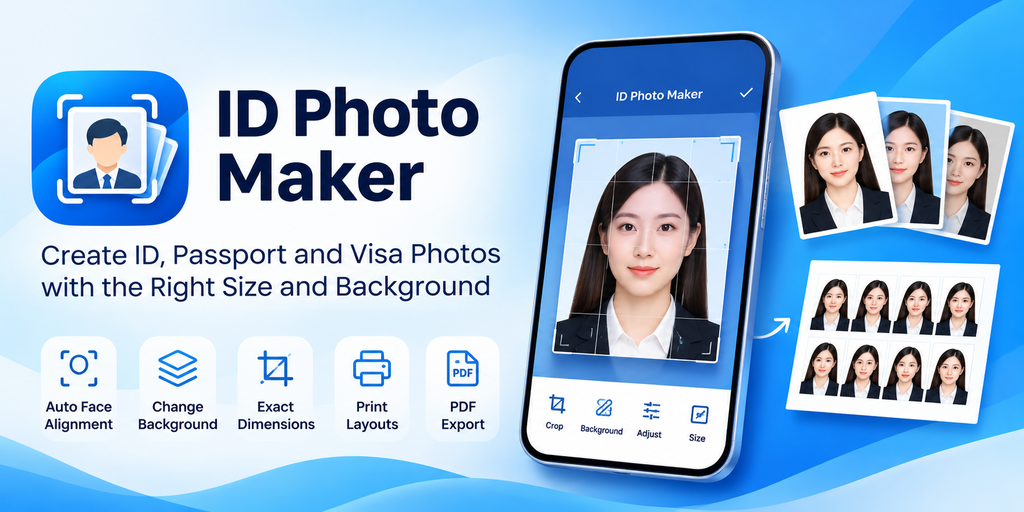
Real screens from the app. Choose a size, frame the face, replace the background, fine-tune the photo and export a print-ready sheet.


Scroll horizontally for all eight screens.
The app checks the portrait, keeps the crop aligned and renders the output at the physical size you selected.
Start with a Vietnam 3×4 or 4×6 cm size, the international 35×45 mm preset, a US 2×2 inch option, or enter custom dimensions.
Import from the camera or gallery. Face detection guides the crop, while manual zoom and rotation keep control in your hands.
Save a JPEG or PNG at the exact dimensions, then compose copies on a 10×15 cm or A4 sheet with crop marks, margins and spacing.
Purpose-built controls for portraits and printing, without a timeline or a general-purpose editor in the way.
Vietnam 3×4 cm and 4×6 cm, international 35×45 mm, US 2×2 inch and custom sizes, each tied to physical dimensions and DPI.
On-device face detection checks the portrait and overlays proportion guides. If it finds no face or more than one, the crop stays available manually.
Separate the subject locally, then choose white, light gray, light blue or a custom color. Your original image remains unchanged.
Brightness, contrast, saturation, exposure and white balance, with undo and redo so you can compare adjustments before committing.
Write JPEG or PNG files at the preset's pixel dimensions with DPI metadata, adjustable quality and a maximum file-size search for JPEG.
Lay out multiple copies on 10×15 cm or A4 paper, with controls for margins, spacing, crop marks and PNG or vector PDF output.
Keep finished photos in local project history and reopen them to change the crop, background, adjustments or DPI without starting over.
The interface is available in both languages, with light, dark and system themes for working in different conditions.
Face detection, segmentation, edits and exports run on the device. No source photo, processed image, face landmark or mask is uploaded.
No. They are common starting sizes, not a guarantee of acceptance by any government agency. Head position, background, recency and other rules can differ by document and issuing office. Check the current requirements with the authority receiving the photo.
Yes. Face detection, background separation, editing, export and print-sheet creation run on the device. You can prepare and export photos in airplane mode.
No. Your source and processed photos stay on the device. Face landmarks, segmentation masks and file paths are not uploaded. When analytics is configured, it receives only non-sensitive product event names and settings such as the preset type or output format.
Pro is a one-time purchase, not a subscription. It unlocks all preset sizes and custom dimensions, advanced background colors, 600 DPI and target-size export, 10×15 cm and A4 print sheets with PDF output, and unlimited local projects.
Yes. Saved photos appear in recent projects. Reopen one to adjust the crop, background, color adjustments or DPI, then export it again as a new file.
Print sheets can use 10×15 cm or A4 paper. You control the number of copies, margins, spacing and crop marks, then export the sheet as PNG or PDF.
Install ID Photo Maker from Google Play and prepare your next document photo on the device.